 Downloads:
RM2K & RM95+ & FM95
Downloads:
RM2K & RM95+ & FM95Downloads:
RM2K & RM95+ & FM95
WARNING!!!
Use GetRight, ReGet,
Go!Zilla or NetVampire
for downloading those huge files!!! Do not email me if
u got the broken file !!! Do what I'm saying and You will get whole unbroken
file.
( TIP: GetRight,
ReGet, Go!Zilla, NetVampire
will resume if it gets disconnected 3/4 of the way, 1/2 of the way... 1% of
the way.. don't matter. as long as the server allows resumes.)
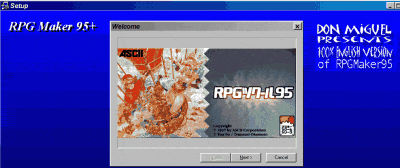 100% English RPG
Maker 95+
100% English RPG
Maker 95+
Ohio, USA Mirror : RM95+ (7mb)
RPGMaker95+
Download
(Thanks to Pantherzen)
USA Mirror 1: RM95+ (7mb)
RPGMaker95+
Download Sub-Page
(Thanks to Mr.Pectate)
USA Mirror 2: RM95+ (7mb)
RPGMaker95+
Downloads Sub-Page
(Thanks to Mr.Pectate again!!!)
USA Mirror 3: RM95+ (7mb):
Link to RPGMaker95+
Downloads Sub-Page
USA Mirror 4: RM95+ (7mb):
RPGMaker95+
(Thanks to JeBet)
NEW: GAME
DISK Maker ( 375k ) ver. 1.23
It is add-on for RPG Maker 95+. You could make your Game Disks without any problems!
Read its README.TXT file first!
(Yo All... it's 100% compatible with all yours old RM95's games, etc... but it looks spiffy, I removed some abbreviations... I Fixed some WRONG translated things, I'd make the spiffy ENGLISH RPG95.HLP file with tons of new info about RM95, RM95+ have an Uninstall stuff now, etc... Just DOWNLOAD it)
Read about the RM95+'s features here:
Note: Copy all 6 files to new folder. Run rm95plus.EXE file. It'll extract all RM95+ install files. Then run SETUP.EXE for RPG Maker95+ install.
P.S. Don't forget to make a copy of your old C:\RPG95\ folder before an installation!!!
OTHER DOWNLOADS:
RM95 RPG "Niggaz VS Satan". Get it NOW!!! by Don Miguel
You can download old RM95 related file here:
 Prepatched RM95's files. (English
Translations of GAME.EXE v 1.23, RPG95.EXE, missing DLLs, etc...)
Prepatched RM95's files. (English
Translations of GAME.EXE v 1.23, RPG95.EXE, missing DLLs, etc...)
 The LAST English patch for RPGMaker95
Last update: March 23, 2001
©2000 BMV